


AM TUNNEL LITE VPN
4.55.04K Reviews
App Specs
- Version
- AM
- Updated On
- License
- Free
- Downloads
- 10,000,000+
- Developer
- APNA TUNNEL
- Categories
- Tools
- Platform
- Android
Screenshots
 Analysis by AppCompare
I keep coming back to VPN apps when a familiar online task starts to feel awkward: a connection on public Wi-Fi, a video that behaves differently when I travel, or the desire to put a little more distance between my browsing and the network I’m using. A VPN can help with some of those situations, but it is not a magic privacy shield, and another app is only worthwhile if connecting takes less effort than it saves. AM TUNNEL LITE VPN is aimed at that straightforward use: a mobile tool from APNA TUNNEL, presented for watching movies and other everyday online activity.
Where a simple connection earns its place
For me, the useful question is not whether a VPN has an impressive-sounding label; it is whether I can turn it on when I actually need it, then get on with what I was doing. A low-friction connection can be handy when I join a café’s Wi-Fi, for example, or when I want to check a video service while away from home. Those are occasional, practical reasons to open a VPN, rather than a promise that every connection becomes private or every region-restricted video will play.
That distinction matters with any VPN. It routes traffic through a VPN connection, but it does not make a user anonymous, protect every app in every circumstance, or replace sensible account and device security. I would treat this as one tool in a privacy routine, not a reason to share sensitive information casually on an unfamiliar network. If dependable protection for confidential work is the priority, I would first check the provider’s security and privacy details and compare them with a service that explains its practices clearly.
Getting started and making the first connection
The first useful setup is simple: install the app, open it, and look for the connection control before changing anything else. The version available for Android is AM, with Android 7.0 as the minimum operating-system requirement. It is free, and its age rating is Everyone. The app’s broad reach is notable too: it has passed ten million installs and holds an average rating of 4.5 from around seventy-two thousand ratings. Those figures can help set expectations about adoption, but they are not a substitute for checking whether the app’s behavior suits your own phone and network.
When I test any VPN, I make one connection on the network I use most, then briefly compare a familiar task—opening a page or playing a video—before and after connecting. That gives me a practical baseline instead of relying on a vague impression of speed. If a page fails or a stream buffers, I disconnect once to see whether the VPN is the cause; this small check can save time chasing a problem that belongs to the Wi-Fi or the service itself. I would also avoid assuming that a location choice guarantees access to a particular catalogue or site.
Using it in everyday situations
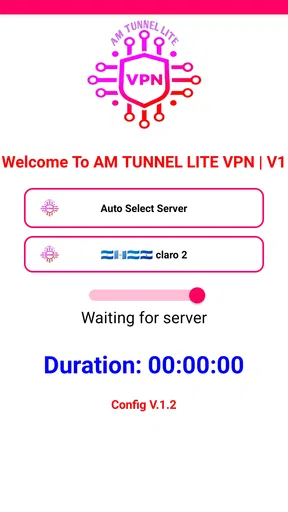
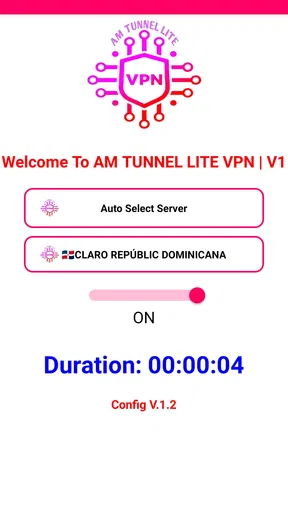
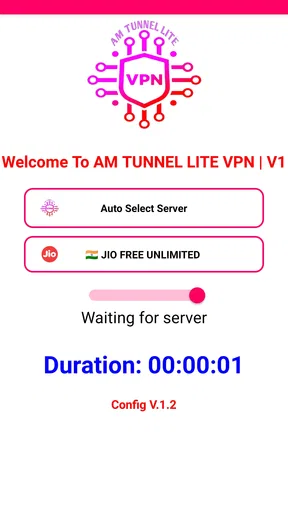
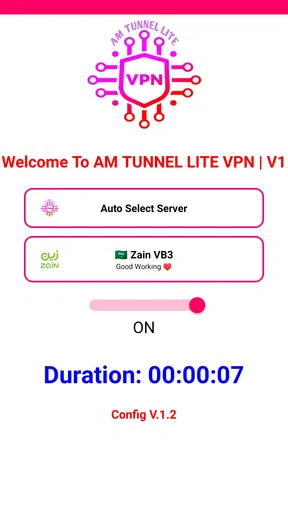
First off, the installation process is a breeze. I downloaded it from the app store, and within moments, I was ready to roll. The app welcomes you with a clean and straightforward interface, which is a relief in a world full of cluttered app designs. No endless menus to wade through — just straight to the point.
Exploring the Features
Now, onto the features. What I love about AM TUNNEL LITE VPN is its simplicity. You don’t need to be a tech wizard to get it up and running. With just a single tap, you can connect to a VPN server and start browsing securely. The app offers a variety of server locations, which is great for accessing content from different regions.
Worth Reading Before You Choose

EA SPORTS FC Mobile 26 Is a Bigger Football Game, but It Takes Time

Flipboard Shows What News Apps Must Do Beyond the Feed

Switching to Android Auto Means Rethinking Your Driving Routine

Google Calendar Makes a Crowded Week Easier to Manage

Ludo King Makes the Most of the Minutes Between Plans

Baby Panda World Brings Quick Play to Modern Phones, but Its Game Library Feels Busy
One standout feature is the speed. Many VPNs tend to slow down your connection, but with AM TUNNEL LITE, I barely noticed any lag. Streaming videos or downloading files was smooth sailing. Plus, the app doesn’t bombard you with ads, which is a huge plus in my book.
Security and Privacy
When it comes to VPNs, security is key, right? AM TUNNEL LITE VPN uses strong encryption protocols to keep your data safe. Whether you’re using public Wi-Fi or just want to keep your browsing private, it’s got you covered. I felt secure knowing my information wasn’t out there for anyone to snag.
Another cool feature is its no-logs policy. They don’t keep track of your browsing activity, which is reassuring if you’re concerned about privacy.
Usability and Performance
Using AM TUNNEL LITE VPN is as easy as pie. The app is lightweight, so it doesn’t hog up your device’s resources. I didn’t experience any crashes or bugs during my time with it, which is always a win. The connection was stable, and switching between servers was quick and painless.
If you’re someone who travels a lot or needs a VPN for work, this app won’t disappoint. It’s designed to be user-friendly, so you can focus on what really matters without fussing over settings.
Choosing it over a typical VPN alternative
The main trade-off I see is simplicity versus control. Compared with a more advanced VPN that puts detailed connection options and privacy explanations front and center, this app is better suited to someone who wants a quick mobile connection rather than a setup to tune. That can be a real advantage if your usual alternative is leaving VPN settings untouched because they feel too complicated. It is less compelling if you need to make a carefully informed choice about protocols, specialist network behavior, or a work-approved service.
For a movie night, I would connect before opening the streaming app, try the intended service, and disconnect if playback gets worse rather than assuming the VPN must improve it. A VPN can sometimes change how a service sees a connection, but it cannot guarantee that a title will be available, that a platform will accept the connection, or that video quality will improve. If reliable access to a particular service is the whole reason for installing a VPN, I would compare the service’s own guidance with the VPN’s current behavior before depending on it.
Small habits that make it more useful
A helpful habit is to decide in advance when the VPN should be on. I might use it for browsing on a network I do not manage, then turn it off for a task that is behaving oddly and compare the result. This is more useful than leaving it connected automatically without noticing a slowdown or a sign-in prompt. If a banking, work, or streaming app behaves differently, I would not repeatedly switch locations at random; I would first check whether the VPN connection is the reason, then choose the simpler option for that task.
Travel is another realistic use, but it calls for modest expectations. On a hotel network, a VPN may add a layer between the device and the local Wi-Fi connection, yet it cannot fix weak signal, congested internet, or a captive portal that still needs a sign-in. I would complete the network’s access step first, then connect and test a normal page. If the connection becomes unreliable, temporarily disconnecting is a useful diagnostic—not proof that the VPN is unsafe or that the hotel network is at fault.
It is also worth thinking about battery and mobile data as everyday trade-offs. Any active VPN connection adds another step to the route between a phone and an online service, so I would check whether keeping it on changes how long routine tasks take or how much data I use. I would not assume that a “lite” name means no impact at all. For a short session on a trusted home network, the extra connection may not be worth the friction; for a network I do not control, that trade-off may feel reasonable.
Who is likely to appreciate it
I would point a VPN newcomer toward this app if they want a direct way to try a mobile VPN without first learning a page of technical settings. Its simple approach may also suit someone who wants to connect for a particular browsing session and then carry on. The fact that it is free makes it easier to try, though free access alone should not decide whether a service is right for sensitive use. Its current version is identified as AM, and APNA TUNNEL is the developer.
On the other hand, I would steer a privacy-focused professional, a person handling confidential work, or anyone who needs a provider with thoroughly documented policies toward a VPN that makes its technical and privacy details easy to evaluate. I would also skip it if the main goal is guaranteed streaming access, because server availability and a VPN’s ability to work with a given platform can change. A familiar brand name or a large install count cannot settle those questions for an individual user.
The app’s audience figures do make it clear that it has found a broad user base: it has around five thousand written reviews in addition to its ratings. I take that as a sign that many people have tried it, not as proof that every connection is equally fast or dependable. Network quality, distance, the phone, and the online service all affect the result, so my own quick test on the network I plan to use remains more informative than popularity alone.
Limits and a practical verdict
There are a few questions I would answer through careful use rather than assumption. Will it work on my particular network? I would connect and test a familiar site. Will it help with a regional video catalogue? I would check the service directly and keep a backup plan. Is it suitable for sensitive work? I would only decide after reviewing the provider’s current privacy and security explanations. These checks are not unique to this app; they are part of choosing any VPN responsibly.
The biggest friction removed here is the mental overhead of getting started. A tool that feels approachable can make it more likely that a user will actually connect when they want a VPN, instead of abandoning the idea in a maze of settings. But convenience and assurance are different things. If the app does not explain a detail that matters to you, do not fill the gap with assumptions; use a provider whose documentation answers your question.
All in all, AM TUNNEL LITE VPN is a solid choice for anyone in need of a reliable and easy-to-use VPN. It’s got the essentials covered without being overly complicated, making it perfect for both VPN newbies and seasoned users alike. Whether you want to unlock geo-restricted content or just surf the web privately, it’s got your back.
So, if you’re on the hunt for a VPN that won’t let you down, give AM TUNNEL LITE a spin. You might just find it becoming a staple on your device. Happy browsing!
Pros
- User-friendly interface
- easy to navigate.
- Fast connection speeds for streaming.
- Supports multiple server locations.
- No registration required for use.
- Lightweight
- minimal battery consumption.
Cons
- Limited features compared to premium version.
- May experience occasional connection drops.
- Ads can be intrusive at times.
- Server selection is not very extensive.
- No dedicated customer support.
FAQs for AM TUNNEL LITE VPN
What is AM Tunnel Lite VPN and how does it work?
AM Tunnel Lite VPN is a virtual private network application designed to provide secure and private internet access. It works by encrypting your internet traffic and routing it through a server located in a different region, masking your IP address. This ensures your online activities remain anonymous and protected from prying eyes, including hackers and ISPs.
Is AM Tunnel Lite VPN free to use, and are there any premium features?
AM Tunnel Lite VPN offers a free version with basic features that are sufficient for casual users seeking privacy and security. However, for those needing enhanced features such as faster connection speeds, more server locations, or dedicated customer support, a premium subscription is available. This allows you to maximize the app’s capabilities.
On which platforms can I use AM Tunnel Lite VPN?
AM Tunnel Lite VPN is available for both Android and iOS devices. This ensures that users can protect their mobile internet traffic on a wide range of smartphones and tablets. Simply download the app from the Google Play Store or Apple App Store, and follow the installation instructions to start using the VPN service.
How secure is AM Tunnel Lite VPN in protecting my data?
AM Tunnel Lite VPN employs strong encryption protocols to secure your data, ensuring that your internet activity remains private and inaccessible to unauthorized entities. While no VPN can offer 100% security, AM Tunnel Lite provides robust protection against common threats like data theft and surveillance, making it a reliable choice for privacy-conscious users.
Does using AM Tunnel Lite VPN affect my internet speed?
Using AM Tunnel Lite VPN might slightly affect your internet speed due to the encryption process and the distance your data travels to reach the VPN server. However, the impact is generally minimal for everyday browsing. For tasks requiring higher speeds, such as streaming or gaming, opting for a premium plan could provide a more seamless experience.


